

Things to try
Lucy is at its best on jobs you already do every week: checking, comparing, tidying, chasing. These three come from different parts of a regulated organisation. Pick the one closest to your work, copy the prompt, and attach your own file.
Check invoices against the agreement
Open the invoice file and the fee schedule side by side, tick through hundreds of lines, hope nothing slips through. An afternoon.
One prompt. Review a short table of flagged lines and decide what to dispute. Minutes.
Check these Q3 custody invoices against our fee schedule and flag anything we were overcharged. Show the flagged lines in a table with billed, agreed and the difference, and keep my original file untouched.What the result looks like
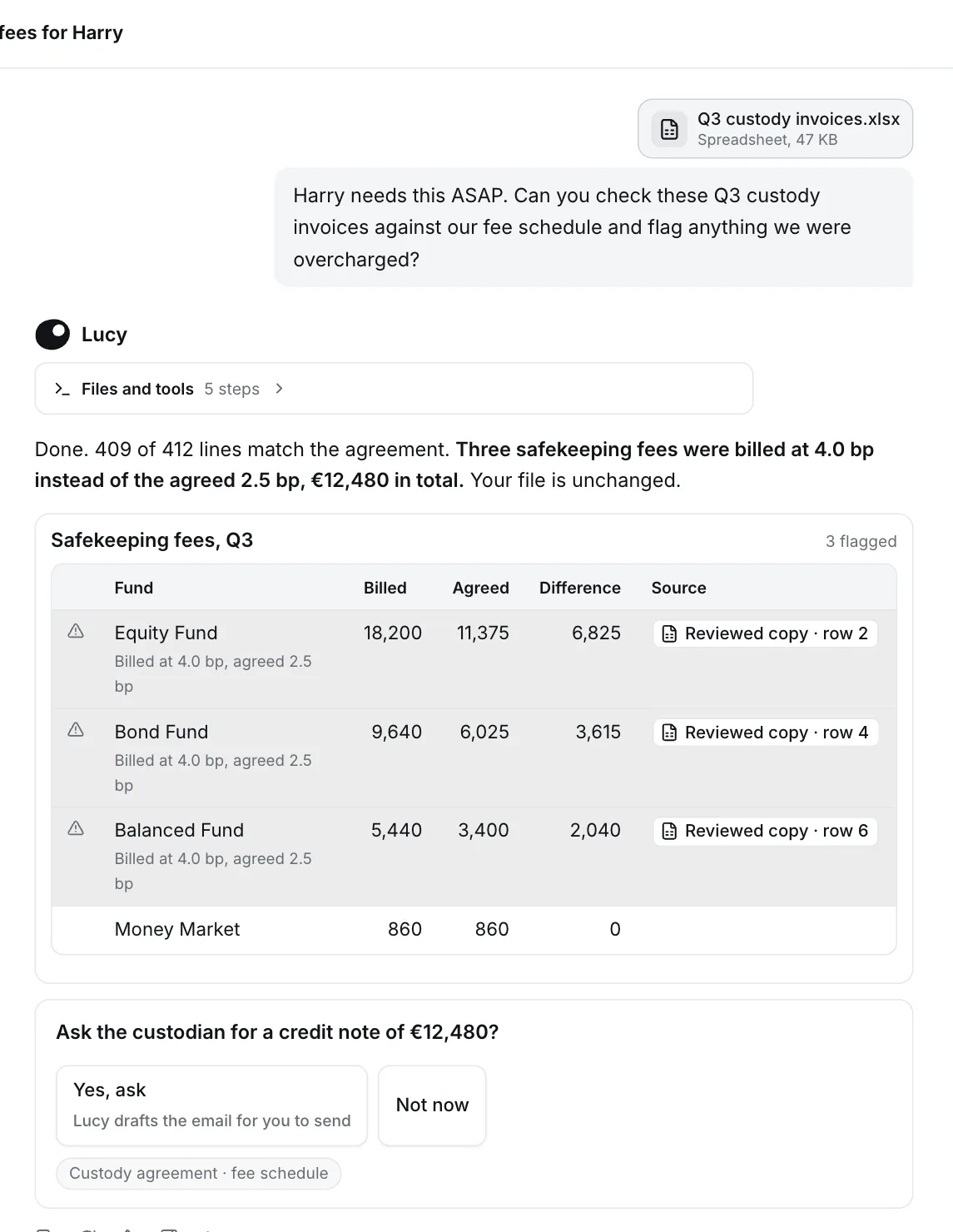
- The answer first: 409 of 412 lines match, three do not, and the total is stated.
- A flagged table with the evidence per line, and a source chip that opens the exact row.
- A next step you can click, such as drafting the credit note request, instead of a wall of text.
- Your original untouched. Lucy saves a reviewed copy and shows the steps it took.
Find the gaps in a regulatory register
Read the regulation, build a checklist from memory, compare field by field, ask a colleague what is usually missed. Half a day.
Ask what is usually missing, then share the extract and get a field by field check. Minutes.
Which fields of the DORA register of information do we usually miss for ICT providers? Then check the attached register extract against that list and show every missing field per provider.What the result looks like
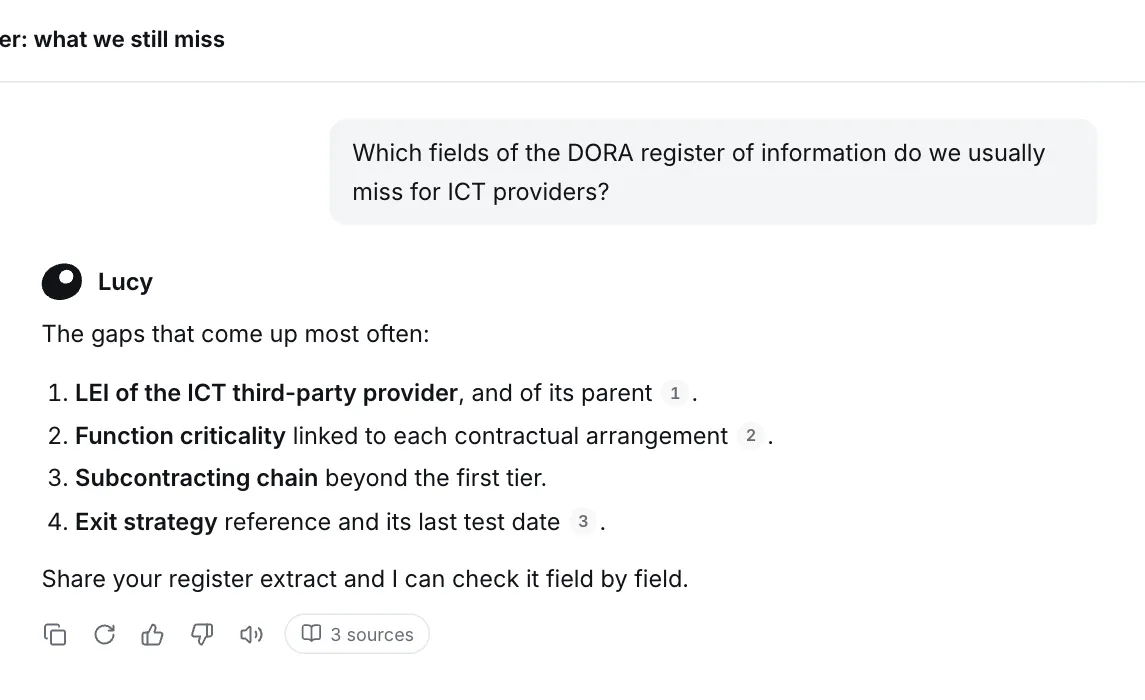
- A ranked list of gaps in plain language, not a generic summary of the regulation.
- Numbered citations and a Sources button, so a reviewer can open every source Lucy relied on.
- A natural follow-up: share your own register extract and Lucy checks it field by field.
- Gets better with memory. Teach Lucy your team’s checklist once and it applies it every time. See Memory.
Tidy a folder of reports
Rename, move and archive files by hand, fix the totals in two documents, refresh the CSV, delete the leftovers. Easy to miss one. An hour.
Describe the end state. Lucy does it, asks before anything is deleted, and tells you exactly what changed. Minutes.
Tidy up my Reports folder: archive the draft, fix the total in the review, refresh the reviewed CSV and drop the old notes.What the result looks like
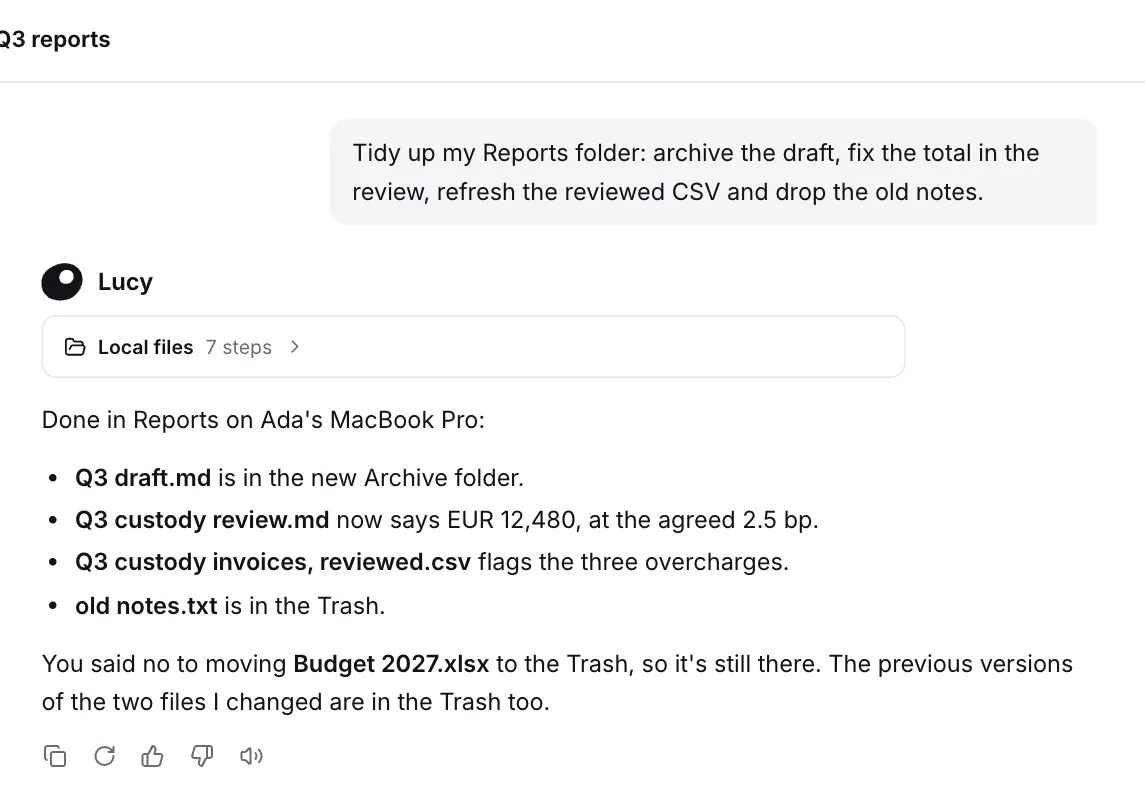
- A clear summary of every file touched, in one list.
- You stay in control. Lucy asked before moving a file to the Trash, and when you said no, it left that file alone.
- Nothing is lost. Old versions of changed files go to the Trash, not into thin air.
Needs local access with the desktop app, enabled by your admin.
More jobs to try
Section titled “More jobs to try”| Job | Where to start |
|---|---|
| Triage your inbox and draft replies | Microsoft 365 or Google Workspace |
| Prepare a meeting from mail, calendar and files | Microsoft 365 |
| Turn notes into a deck, memo or PDF | Files and documents |
| Clean a messy spreadsheet and keep a change log | Files and documents |
| Teach a recurring routine once | Memory |
| Brief yourself on today’s regulation news | Web search |
Make any of them better
Section titled “Make any of them better”- Name the output. “A table with a column for the risk and one for the source page” beats “analyse this”.
- Name the reader. “For the board” and “for the client” produce different drafts.
- Ask for the checks. “List what you were unsure about” gives you the review points up front.
- Iterate. Reply with “shorter”, “add a column for owner” or “use the 2025 schedule instead”.