

Say it once
Describe a routine in your own words. Next time, one sentence starts the whole thing.
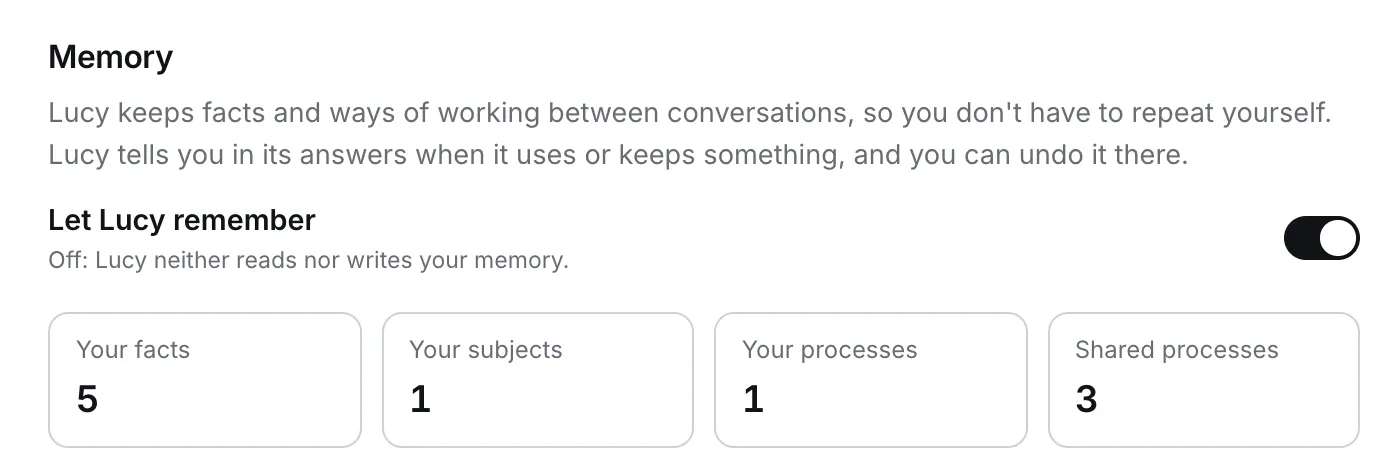
Without memory, every conversation starts from zero, and you explain the same checklist, the same client and the same house rules again and again. With memory, Lucy builds up how your team works, and you say it once.
Say it once
Describe a routine in your own words. Next time, one sentence starts the whole thing.
Consistent across the team
Share a process and everyone follows the same steps, so results do not depend on who asks.
Visible and undoable
Lucy shows when it used or kept something, and you can undo it right there.
| Processes | Knowledge | |
|---|---|---|
| What it is | How a recurring task is done here, step by step | Facts about people, companies, contracts and other subjects of your work |
| Example | “To check custody fees: find the agreement, compare every line to the agreed rate, flag differences, offer a credit note email.” | “The ACME custody agreement was signed 1 March 2024. Safekeeping is 2.5 bp a year (schedule 2).” |
| Lucy uses it to | Follow your method instead of inventing one | Answer without asking you again, and spot when a new document contradicts an old fact |
| Saves you from | Re-explaining the steps | Re-pasting the same background |
Here is a real answer. Lucy was asked to check invoices. Open the steps and you can see what memory did:
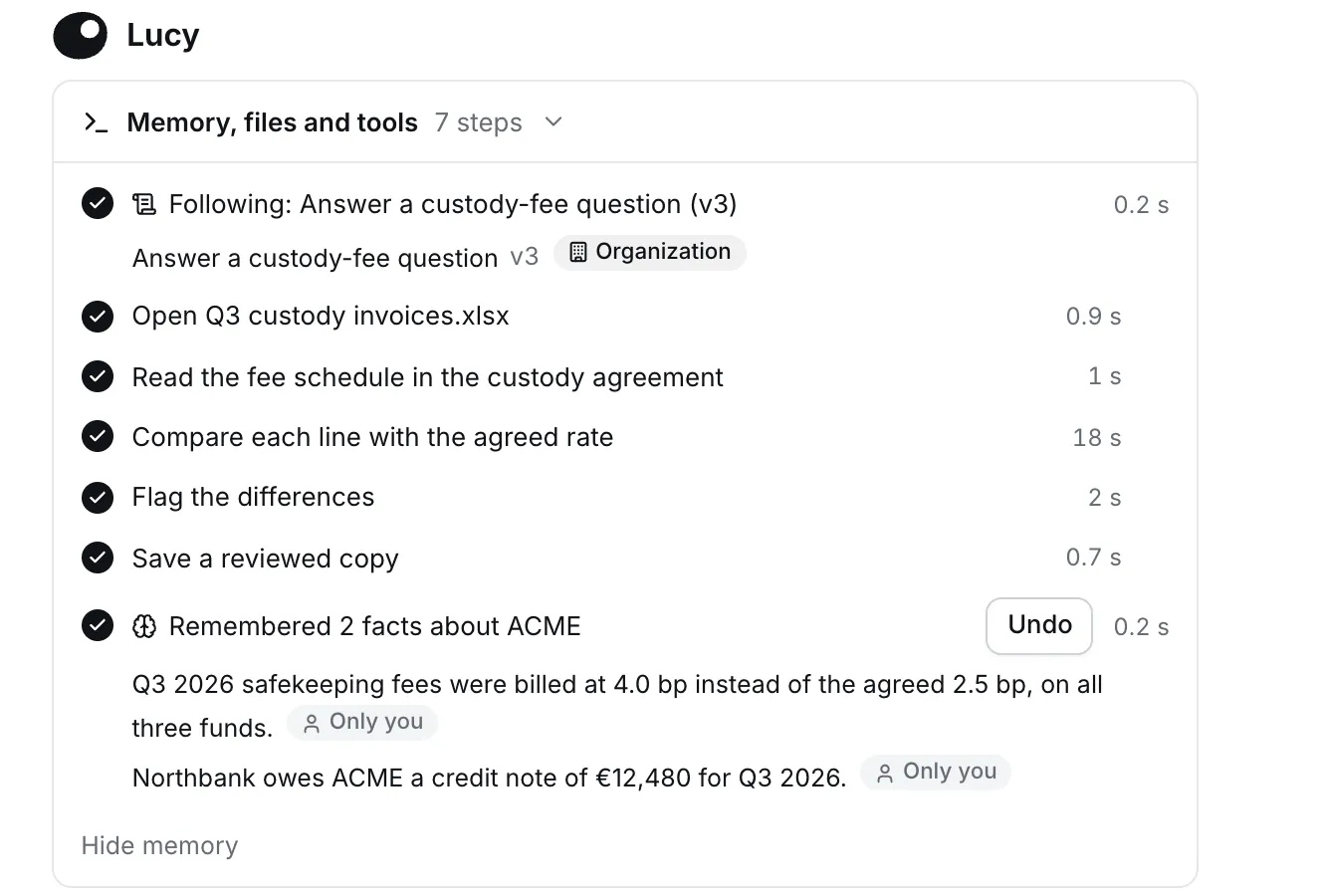
Next time someone asks about ACME’s fees, Lucy already knows the agreed rate and that a credit note is owed.
There are three ways to create one. Use whichever is quickest at the moment.
The fastest way. After you have done something once, say:
Remember this as a process. When I say “fee check”: find the custody agreement, compare every invoice line to the agreed rate, flag the differences with the line number, and offer a draft email for a credit note.
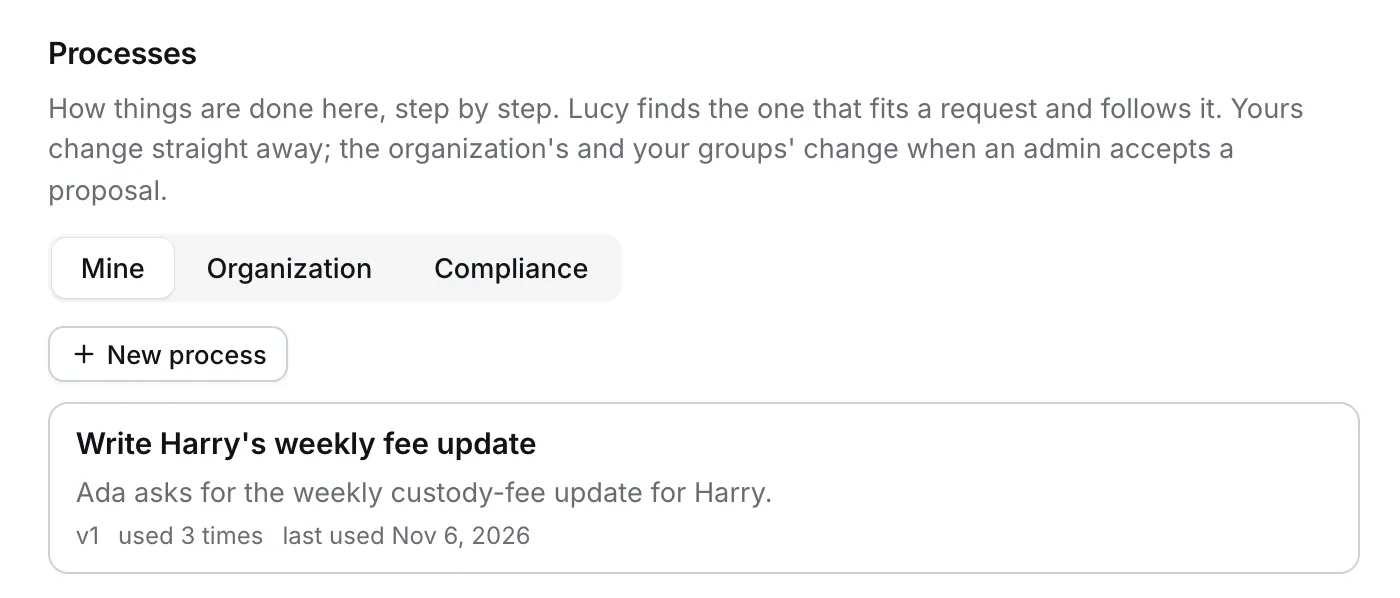
Lucy saves it as one of your processes and tells you in the answer. You can edit it later in Settings.
Open Settings → Personalization → Processes → New process and fill in the form.
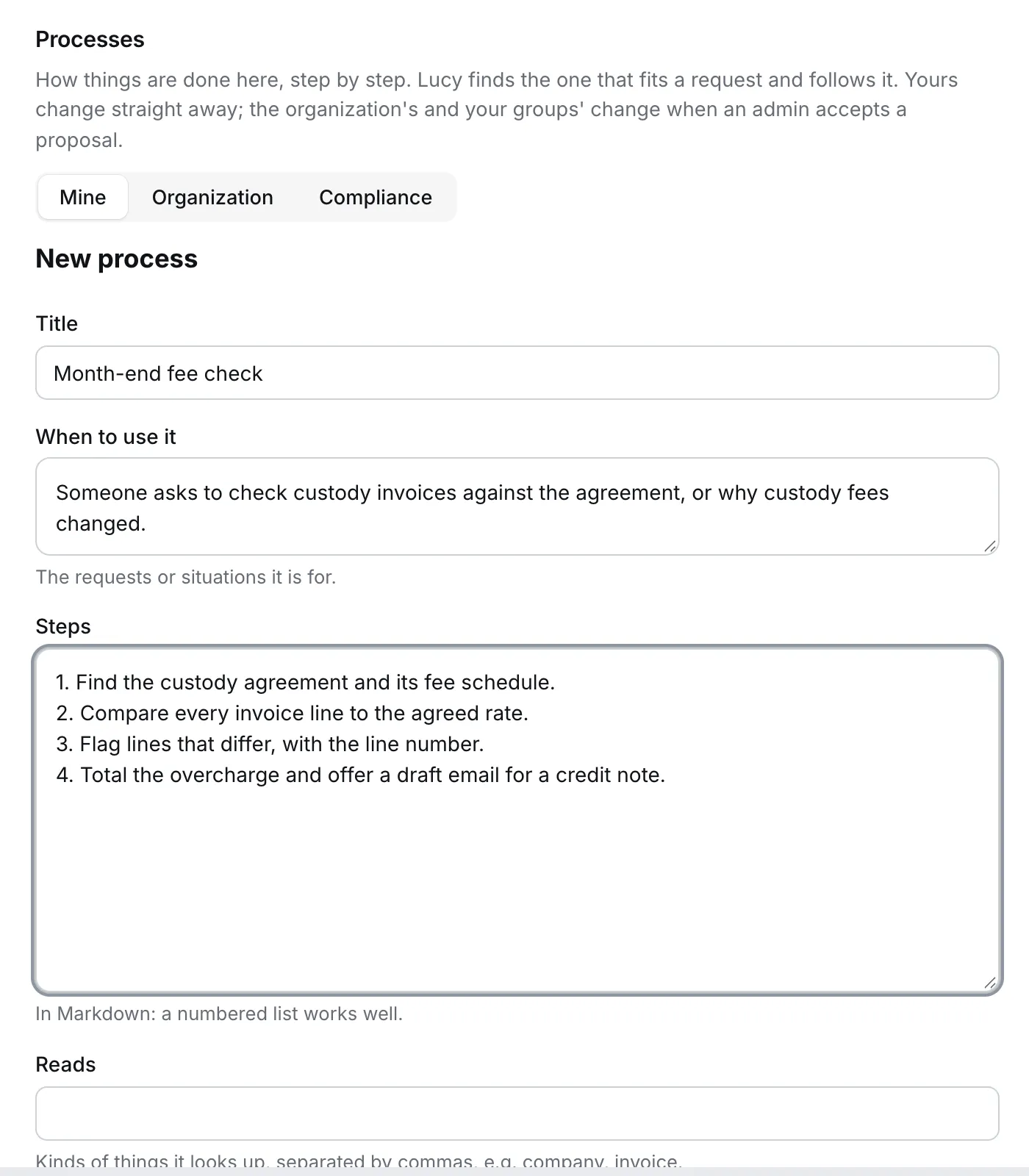
| Field | What to write |
|---|---|
| Title | A short name you would recognise in a list, for example “Month-end fee check” |
| When to use it | The requests or situations it is for, in the words people actually use |
| Steps | A numbered list, in Markdown. One action per step |
| Reads | Kinds of things it looks up, separated by commas, for example company, invoice |
After a task that took several steps, ask: “Turn what we just did into a process.” Lucy drafts the steps from the conversation, and you edit them before saving.
| Team | Process | What it does |
|---|---|---|
| Finance | Month-end fee check | Compares invoices to the agreement, flags differences, offers a credit note email |
| Compliance | DORA register review | Checks a register extract against the list of required fields and lists what is missing per provider |
| Risk | KYC refresh | Reads the client file, lists expired documents, proposes reminder dates |
| Legal | Contract first pass | Extracts parties, term, notice period and renewal, and flags unusual clauses |
| Client service | Weekly client update | Pulls the week’s activity and drafts the update in your house style |
| HR and admin | New joiner checklist | Walks through the documents and accounts to prepare, and drafts the welcome email |
Lucy builds up facts about subjects: people, companies, agreements, registers. Each fact keeps where it came from.
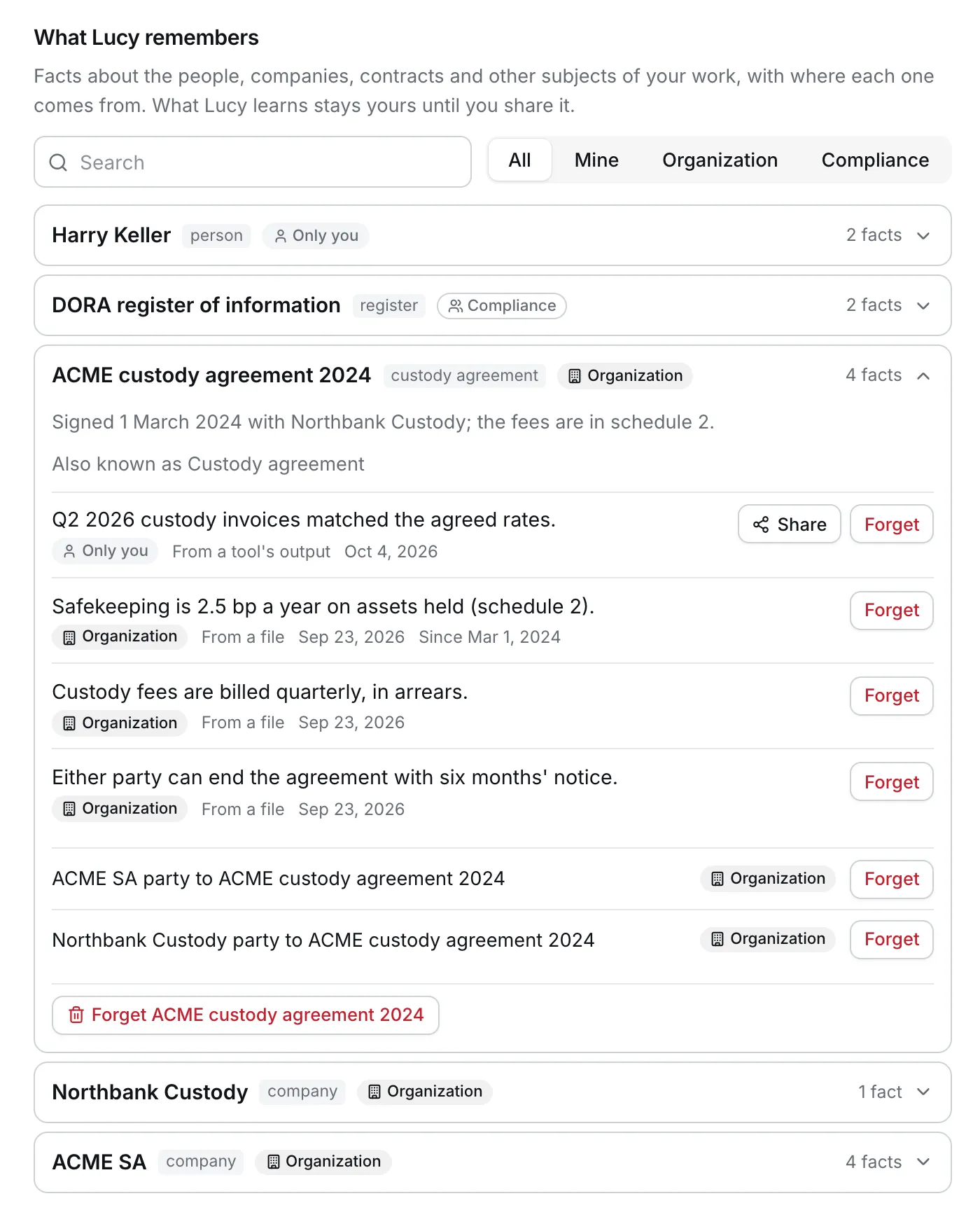
Lucy’s answers become more useful because it can say “the agreed rate is 2.5 bp (schedule 2 of the ACME agreement)” without you attaching the agreement again.
Memory is private by default. You decide what to share.
| Scope | Who can see it | Typical content |
|---|---|---|
| Only you | You | Personal preferences, drafts of processes |
| A group such as Compliance | Members of that group | A team’s playbook |
| Organization | Everyone | Company-wide processes and reference facts |
Your organisation also decides whether memory is available at all, and an admin must accept anything shared widely. See Memory for admins.
| What you see | What to do |
|---|---|
| Lucy answers without “Following…” in the steps | Say the trigger the way your process is written, or reword When to use it to match how people ask |
| Lucy follows an old version | Wait a few minutes after saving, then try again |
| Two processes seem to fit | Make their When to use it more specific, or merge them |
| Lucy used a fact that is wrong | Open What Lucy remembers, Forget the fact, and tell Lucy the correct one |
| Lucy keeps something you did not want kept | Use Undo on the step, or forget it in Settings |